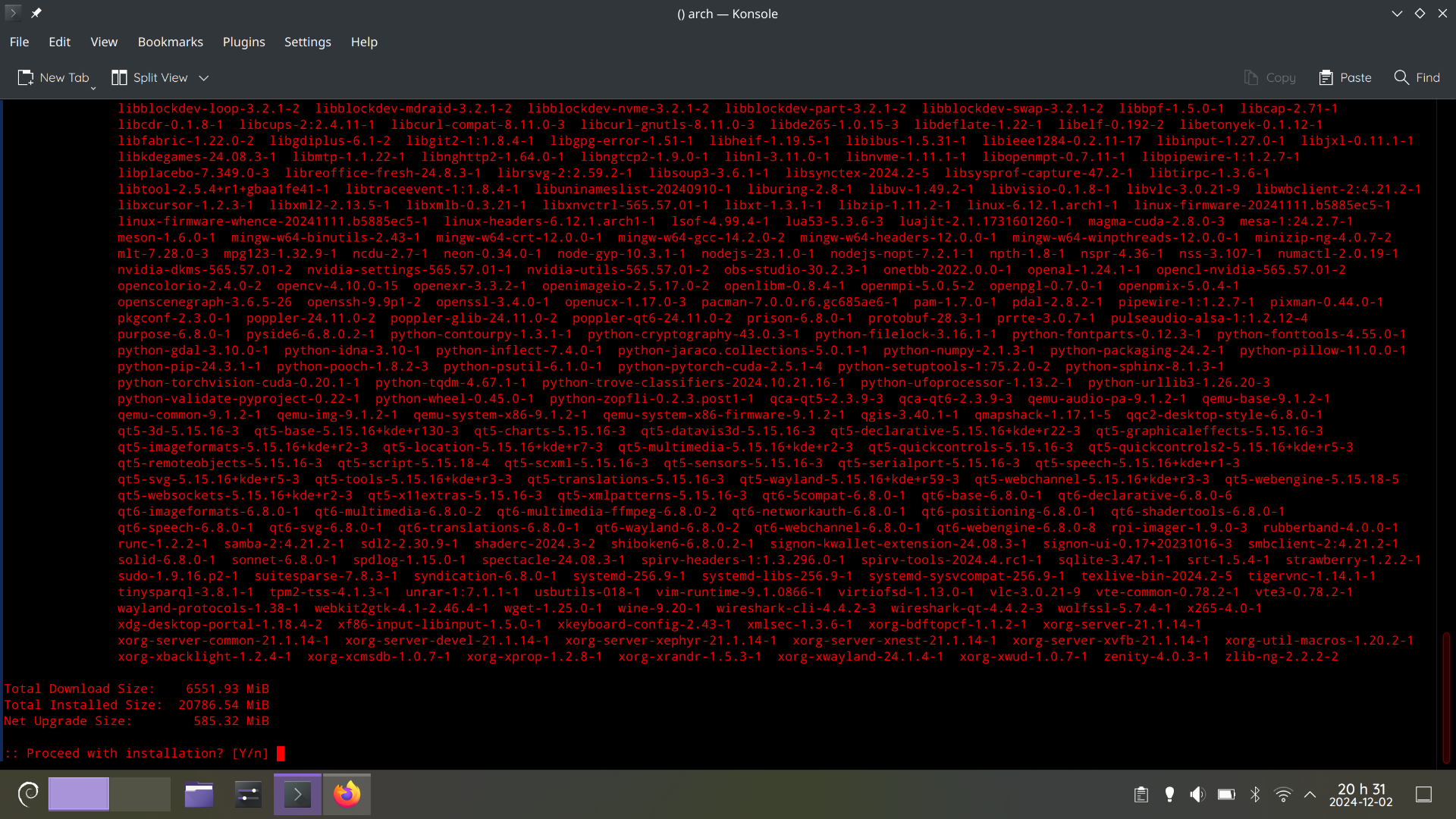
This is why I Dont use rolling release Distros on Pcs i wont use often.
Because you get updates and have an up to date system?
Because you get a update once a update for a package comes out, If you dont update for a very long time you need to download a very large update.
Sure, and that’s exactly what you want if you are on a rolling release, isn’t it? If you neglect the rolling release for a month, what did you expect would happen? Also if you have more apps and packages, the more updates will come out. Rolling releases are for people who maintain the system and care about the updates.
What if my pc breaks down or I cannot use it for a month or smth.
On servers and pcs I don’t use often yeah its fairRead the manual intervention notes from Arch that could be important. And do the update. That’s normal and nothing to worrry about, if you know what you are doing.
I used to care but with recovery tools being what they are and most apps being containers… my base systems tend to be a little more disposable.
That said, I haven’t had problems, even if I am at risk for more of them. I have my snapshots and my backups.
To be fair, arch could look like that after a few days.
It is arch
It looks like it’s Debian’s logo in the bottom left and that that’s
aptoutput.EDIT Nope, that’s
pacmanoutput, seems like they ssh’d into another arch-machine.
NixOS is like that every day for no reason
Oh, you updated one byte in your config? Better download the entire ducking Internet and rebuild everything!
staging rebuild cycles only happen every two weeks or so.
The reason is always that something changed and causes all dependent packages to change, requiring a rebuild of those too.
I did this regularly on arch. And it didn’t end very well.
So you neglected the operating systems maintained regularly, despite it being a rolling release? I assume you didn’t read the manual intervention instructions that are posted regularly too. I don’t understand people using a rolling release and then not caring about the maintenance. Off course it won’t end very well.
Well, my life turned to chaos at some point and I had to neglect some things for a while.
I’m using arch on my desktop for >5 years. Never read those instructions. Sometimes my update looks like OPs. Just hit Y. All fine.
Then you were “lucky” (given you neglected this part for more than 5 years). Depending on what packages and configuration you have, you MUST do manual intervention to have a working and optimal system. While you were lucky, I wouldn’t recommend anyone to ignore the posts on https://archlinux.org/news/ , there are only couple of short posts per year, so not really a time waste.
people laughed at me for choosing debian. they asked why i chose to have ancient runes running in my computer
who’s laughing now?
Still we, dinosaur.🦖
We are still laughing, no worries.
p.s. Debian is great, I am just a “kind of new” void converted.
went looking for it. “stable rolling release” sounds really interesting, but i’m scared of installing it and being mistaken for a systemd hater
👑
You see, this is why atomic desktops aren’t a bad idea.
This has nothing to do with immutable desktops.
Well in an immutable distro, there is little to no chance for the system to end up in an unusable state (I guess it is the same for distros which apply the updates atomically). Traditional distros are far more likely to bork when so much shit is updated at once
I don’t think this is true. The package manager is there for a reason to prevent that. If you have more updates to install at a time, then the chances are the same as if you would have installed the problematic update one at a time. Just read the manual intervention information from Arch and see if there is something to do, then it won’t bork. If people don’t know what they are doing and do not read the additional information (that is required to do so on Arch), well yes, then you could end up borking your machine. But not because so many updates are installed at a time. The package manager and operating system and their maintainer designed it in a way that you can install ton of updates at a time without borking. This is fine.
Between this comment about arch and the other comment about opensuse, it must only be apt which has issues with large updates with complicated dependency chains. I remember 5-6 years ago Ubuntu borking itself when I tried to update after a decent gap and had 100+ packages to update. There is also the fact that people used to advice me to make a clean install in lieu of updating whenever a new version of Ubuntu dropped.
Before my switch, i used Ubuntu exclusively for 13 years in row. I always heard of problems (and not at least because of the PPA repositories) when upgrading from one major version to the next, be it a LTS or not. I never did that and always installed fresh because of these stories. Mostly 4 years in between, or sometimes 2.
Its entirely possible that most problems happened because of packages from PPA that the user did not change for the new upgrade. Because PPA repositories were often designed for a specific version of Ubuntu. So its not entirely the fault of the
aptpackage manager in that case.No, it’s just that Ubuntu never correctly upgrades between releases.
I’ve tried so many times, and it basically always failed.
As an anecdote (and not statistics) I have distro upgraded OpenSUSE with 5000 packages to install (thanks TeXlive LaTeX). It was fine.
It’s arch. There’ll be no issue here.
LOL, That’s just a normal Monday
Recently updated a nixos machine that was on the shelf for five years or so. A few options and packages had been renamed, fixed those, upgrade completed with zero problems.
Only issue with this update was a maintainer’s keyring had expired and been replaced, so his packages didn’t pass the signing check. After re-installing the keyring, the whole think works fine.
Is it Debian Sid?
arch linux, i’m sshed from my debian machine.
You wouldn’t believe the shit I’ve seen on internet connected production servers…
My personal prod systems never have many upgrades… But they’re running Debian stable and I have unattended-upgrades installed and configured.
Those are rookie numbers.
I hope you auditted all of these for backdoors before installing them
Sorry, where is the backdoor? This is all official arch repos, and nothing even appears sketchy.
Well they are volunteers, something could have slipped up
Highly unlikely, I assume you are nervous after the xz backdoor, but that is almost one of a kind. I couldn’t find any other examples of something like that happening.
We still live in an innocent age
And they’re red, that means the offer is about to expire. Better act quick!
Better apt quick!
Haskell packages every other day…
Sometimes I wish someone would make a an Arch box and come back to it years later to see the updates it has missed.
But that’s assuming an Arch box would be reliable enough to stay alive that long lol.
Always heard of 20+ year old bsd and debian machines chugging along with no issue.
It won’t rise much beyond that, since you only get one update per package. Whether it’s upgrading Firefox from version 120 to 121 or to version 130, it doesn’t change much in terms of download size, nor the number of updates.
At least, I assume, Arch doesn’t do differential updates. On some of the slower-moving distributions, they only make you download the actual changes to the files within the packages. In that case, jumping to 121 vs. 130 would make more of a difference.
If you do want lots of package updates, you need lots of packages. The
texlive-fullpackage is always a fun one in that regard…My arch install has been going strong for about 5 years now
Pretty sure you can’t leave Arch lying around for even two months.
Yes, you can. You can even update Arch after a year. But you’ll have to do a few more steps than just pacman -Syu
I have updated arch systems that had not been powered on for years before. It was fine. No issues what so ever. Arch is not some flaky distro that breaks if you look away for a minute. My main system has had had the same install for over 5 years now and I regularly forget to update it for months at a time. Again, no issues.
Yeah really the biggest issue I could see is pacman’s keyring being so out of date that it has to be manually refreshed with a new one
I had that on a physical machine! It broke hardcore lol I had to reinstall the OS after trying to update
@potentiallynotfelix my eyes burn 🔥