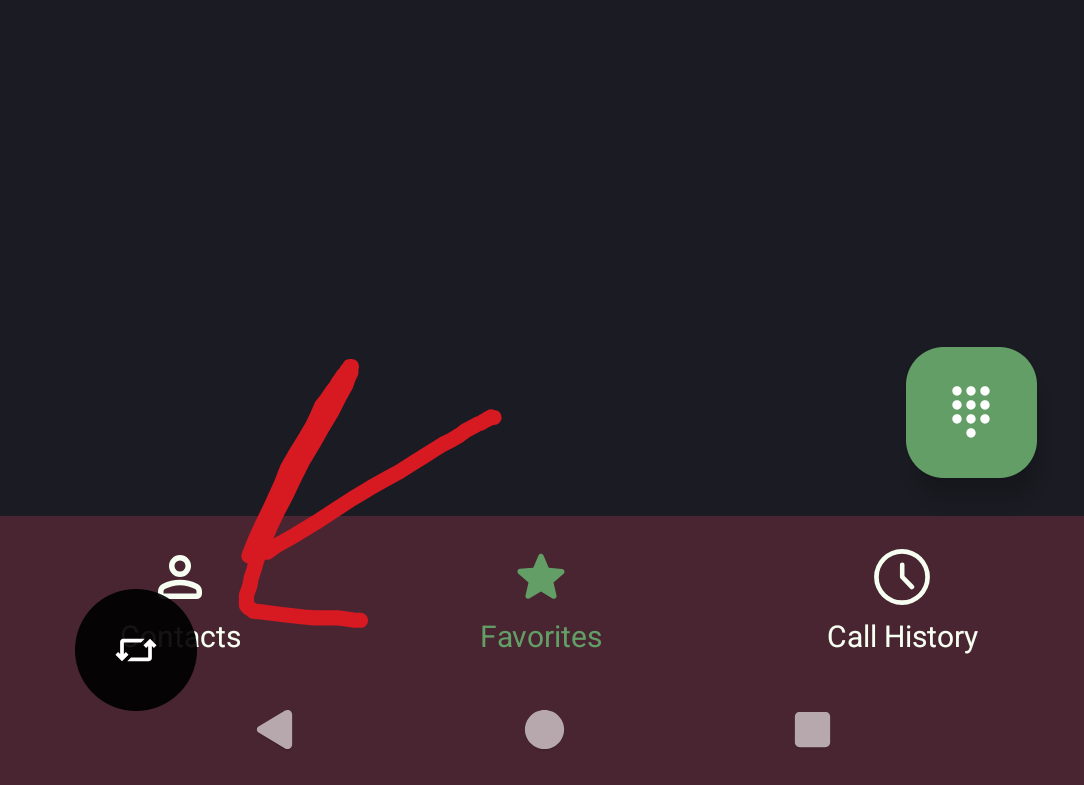
I know a lot of people like this feature, which i can understand, but i think it is annoying as hell to have yet another thing popping up in my screen i didn’t ask for…
Edit: turning off animations in developer settings also turns off the animation of the pop-up. Still not ideal, but might be a little more ‘bearable’ for some…
You know if you wait like 4 seconds it goes away automatically
Depending on your device you can disable it by holding the Auto Rotate button from the settings panel and unselect “Show rotate button on navigation bar”
I should’ve included it in the first place, but i have the Nothing Phone 2a on Android 15 (added it in title). Here there’s no such option…
Can confirm there’s also no such setting on a Pixel running “stock” Android. Inclined to believe this is a feature specific to (potentially) something like Samsung’s OneUI. Doesn’t appear for most people that there’s an easy way to disable it.
Personally, I like it better than the one that used to appear next to the task switcher, but I can understand the annoyance.
Agreed, I hate it
I love it.
Why? It literally only saves a swipe
I hate auto-rotation, that’s why. No need to turn it on (disable lock) for a single use.
Just learned about this feature due to this thread and you nailed the exact reason i like it 🥂
May I ask what use cases you experience that lead you to hate it? It only seems to be an “issue” when I’m on my phone in bed on my side, which is a bad habit to have, that this indirectly discourages.
Exact same reason as OP. It’s annoying to have something pop up on my phone that I didn’t ask for. I don’t like floating overlay buttons.
Were you ever able to find your answer? If not you might have more luck asking somewhere online dedicated to the nothing phone, those folks would probably be more knowledgeable about that specific android rom
I hope you’re able to find your fix!
I don’t have a solution, yet. I also reached out on Nothing Community, but no luck there either. And i will not touch Reddit ever again, so that’s about it for now. I will send some feedback to Nothing directly tho.
But anyway, thanks. Have a good one :)
Aw that’s a shame.
Thank you, you too :)
That’s your rotate screen, you can probably turn it off in the swipe down toggles, but if you reactivate it, it will show up again. If your phone doesn’t support that natively, you could try custom ROMs or mods, maybe even just switching launchers.
Technically, if you disable rotation lock it won’t show
Yeah…haha. You know, i used to have auto rotation turned on a lot before, but for whatever reason Nothing decided to remove that ‘feature’ for their launcher, lockscreen and settings app… So, now auto rotation is really uncomfortable to use.
As someone on Android and has never once seen that…what in the hell is it?
deleted by creator
This doesnt exist on AOSP / Stock Android 15, yay!
Got a Pixel with GrapheneOS and there’s no apparent way to disable the button.
If you’re planning on replacing the original OS anyway, why does it matter how modified from stock Android it is?
If you have rotation lock enabled then you rotate your phone, it pops up. You can tap it to rotate the screen on this one off occasion instead of having rotate on all the time.
The black icon? What does it do? What phone?
Yes. It is a rotation suggestion. Nothing Phone 2a (Android 15)
Ah, I have something similar on Galaxy.
For me if I hold on the rotation lock in my quick settings I get this screen where it can be disabled. May be similar for you.
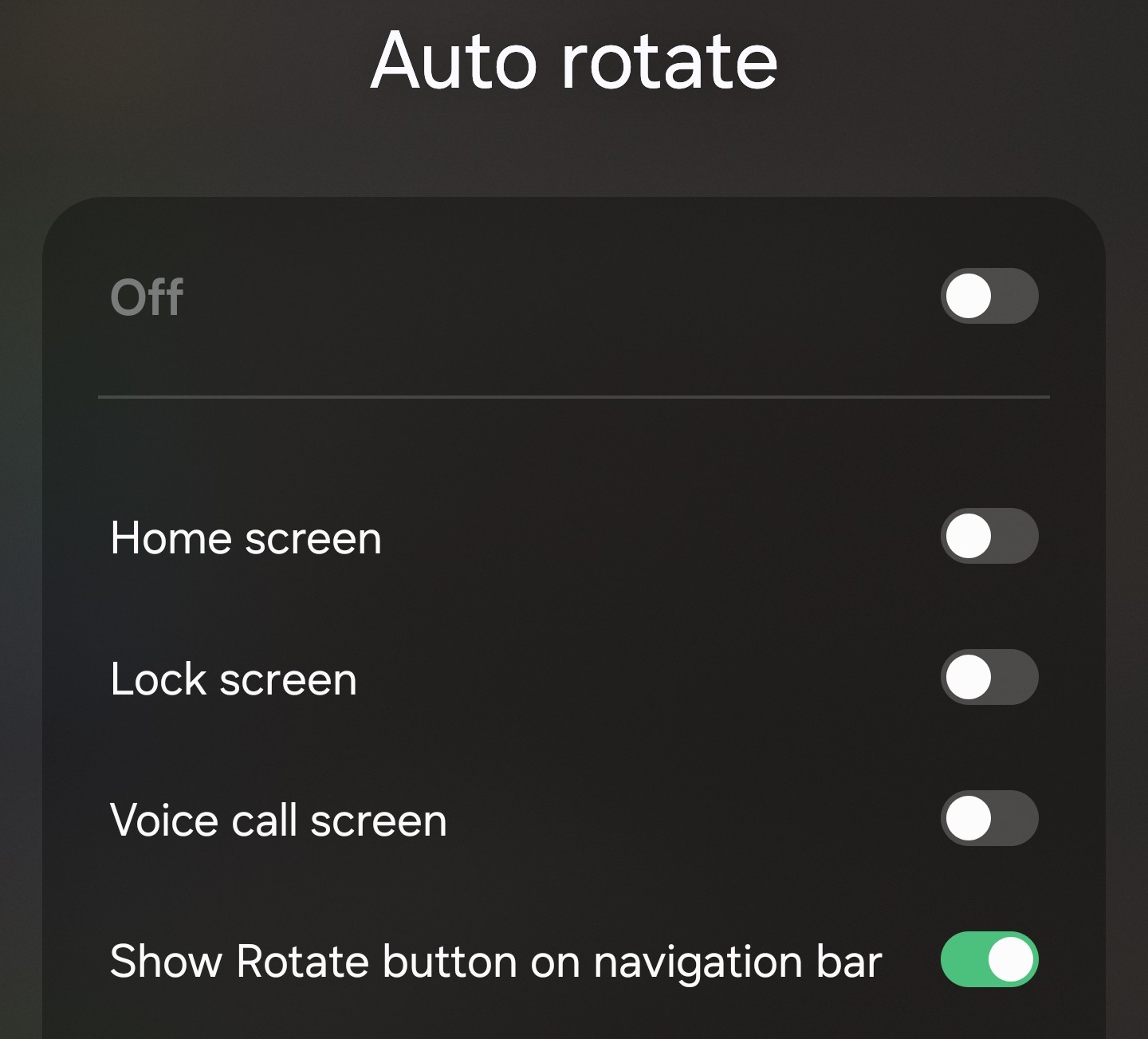
Oneui is a feature rich ROM. The Features you list are absent from most people’s Smartphone.
This is what scares me about leaving Samsung phones, despite some gripes.
If you include Good Lock its on a different level altogether.
Sadly there is no such option on my phone…